How to Reduce Docker Disk Size – Docker is a pretty popular platform for containerizing. It’s stable, easy to use, and offers solid performance. This is my go-to for my lab and project.
A problem I often encountered is a disk size that grows over time. To solve the issue, I optimized the virtual disk (both using diskpart and Optimize-VHD). Unfortunately for Windows Home Edition, you can’t use the Optimize-VHD command due to Windows Home Edition’s limitation.
How to Reduce Docker Disk Size Using DiskPart
Stop Docker and Shutdown WSL
Before running any disk optimization, you should always stop Docker to avoid data corruption. To shut down WSL, you can use the command:wsl –shutdown
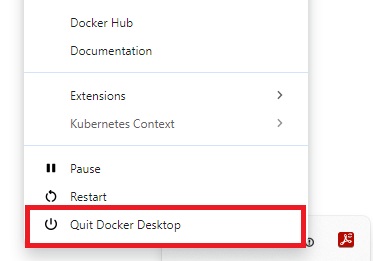
Stop Docker Desktop Open CommandPromp or PowerShell as Administrator
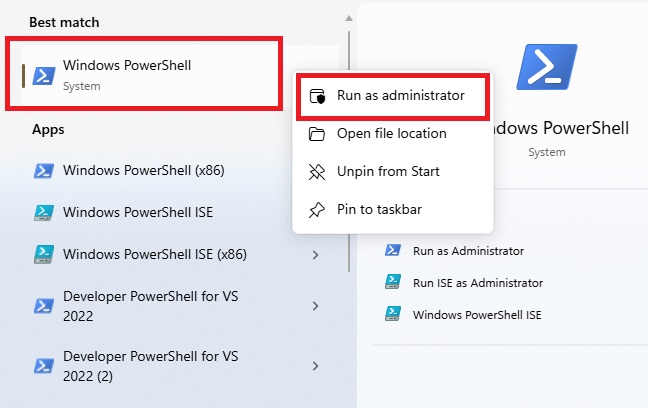
Start PowerShell as Admin Run Command in Order
diskpart
select vdisk file=”C:\Users\[username]\AppData\Local\Docker\wsl\disk\docker_data.vhdx”
Change vdisk with your docker disk path.
compact vdisk
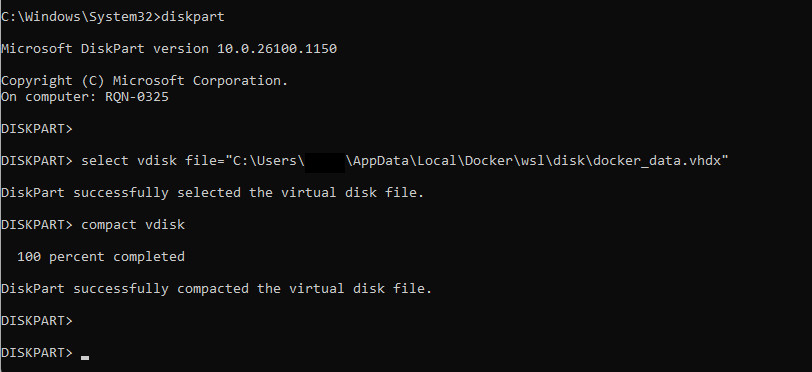
Reduce Docker Disk Size Using DiskPart – www.dedyprastyo.com Wait Until Complete
The compact process could took some time, it depend on the vdisk size.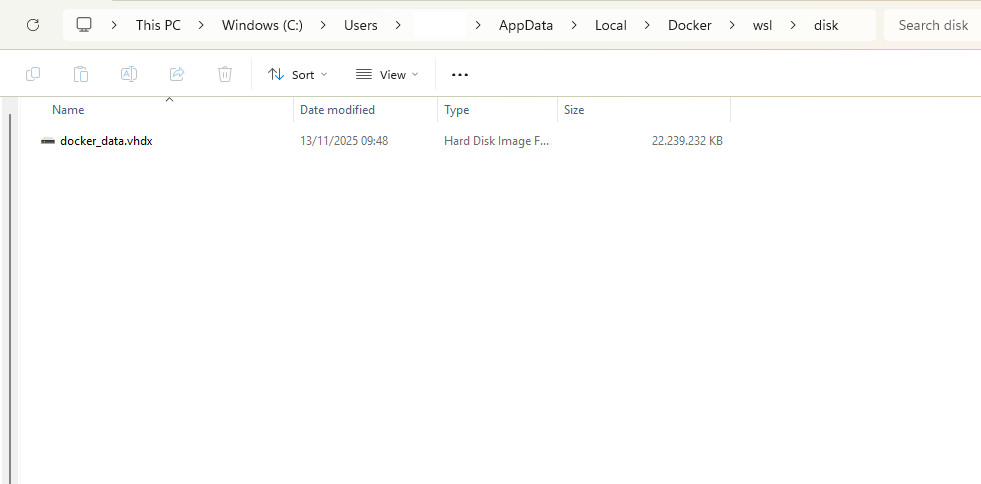
Before Disk Optimization Docker 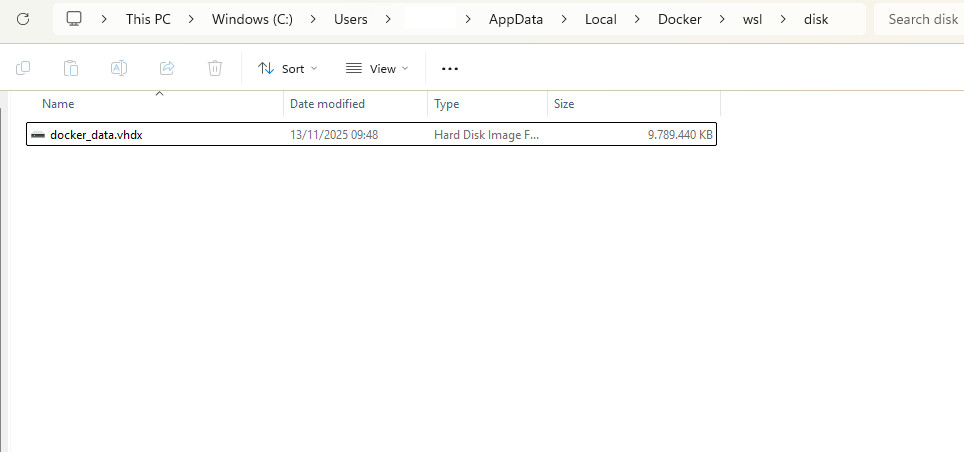
After Disk Optimization Docker