Windows Update: KB5083631 – After a long weekend vacation, today is the first day I enter the office, just an hour later, I was surprised by a firewall log which indicated huge traffic passing through my network. After spending some time digging into logs, I finally understand that Microsoft has launched its newest update for Windows 11.
This non-security update for Windows 11, version 25H2 and 24H2 (KB5083631), includes production-quality improvements.
That’s what Microsoft said about the update. FYI, this is an optional update that will only be automatically downloaded if you choose to Get the latest update as soon as they’re available.
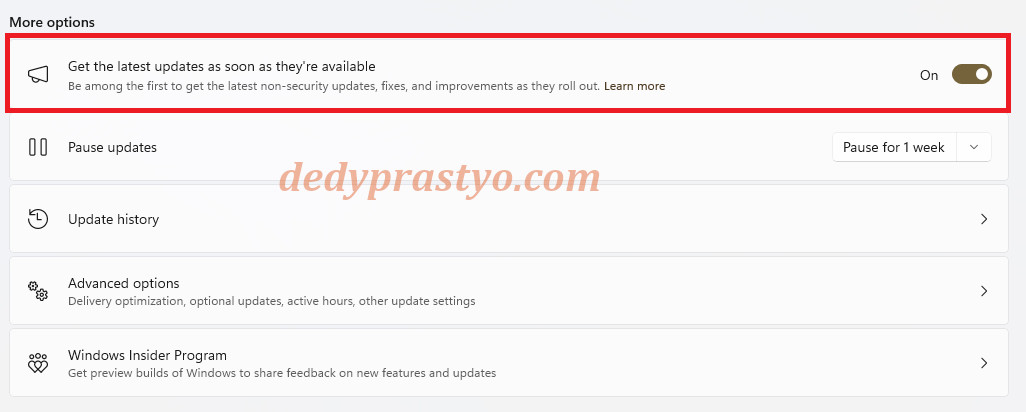
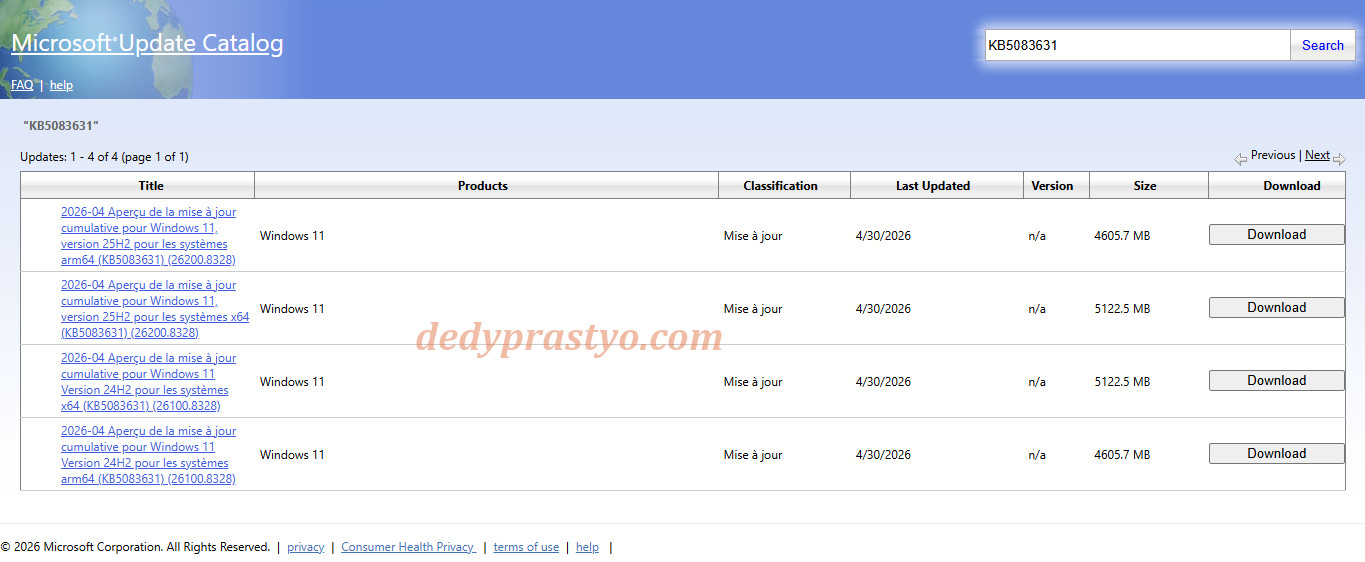
You can also download the update via Windows Update or from Microsoft Update Catalog. The size of the update was not so appealing. For x64 based size for this update is 5.1 GB, and for arm64 the size is 4.6 GB.
To update from Windows Update, just open Settings -> Windows Update -> Download & Install. After the download process finishes, restart your laptop / computer to finish the update.
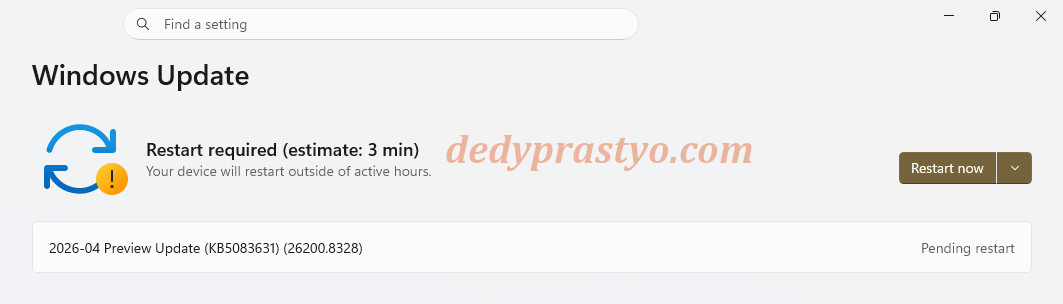
This update will update Windows 11 Build to 26200.8328. In the case your Windows version is 24H2, it will update the OS Build to 26100.8328.
The size of this update should bring a lot of improvement. So what’s new in this update?
- More Reliable Windows 11
Fix error 0x80070057, 0x80240008, and 0x80073d28 when tried to download apps / games from the store.
FAT32 now supports 1 TB instead of only 4 GB.
Improvement in voice typing and mouse wheel-related settings. - Faster & Better File Explorer
After finishing the KB5083631 update, the file explorer is expected to have better icon consistency. Another fix regarding the file explorer is extended support for nupkg formats in File Explorer. Now you can open or extract NuGet Packages without a third-party application.
Microsoft also said that the new update bring better memory management, unused explorer.exe process will be automatically terminated, and save precious memory. - AI Powered Taskbar
Microsoft began to integrate (problematic) Copilot for your taskbar. Microsoft called this Microsoft 365 Researcher, which can help you finish tasks better. Microsoft 365 Researcher is included with Microsoft 365 Copilot, so you will need a Microsoft 365 subscription to be able to use Microsoft 365 Researcher. - Better Drop Tray
Improvement to the Drop Tray (Previously Drag Tray) feature. After this update, Drop Tray will not break your normal drag-and-drop activity in your desktop. - Xbox Mode for Windows 11
Xbox mode has been available on handheld devices as Full Screen Experience (FSE), and it transforms Windows into a console experience. When Xbox mode is enabled, you can use a gaming controller to navigate the Xbox on your Windows 11 device. - Haptic Support
Haptic feedback support will send feedback to user (such as vibration) when user do action.
- More Reliable Windows 11
So enjoy Windows Update KB5083631 and stay awesome.
Source:
https://support.microsoft.com/en-us/topic/april-30-2026-kb5083631-os-builds-26200-8328-and-26100-8328-preview-db6b5d64-ff7e-4fea-8f47-bde66c97d759